![VIPWordmarkLight.jpg]](https://knowledge.vipmarketing.com/hs-fs/hubfs/VIPWordmarkLight.jpg?height=40&name=VIPWordmarkLight.jpg)
What do you need before claiming your business? Prepare the following:
- An active ChatGPT account.
- Your official business name.
- Your business website (if applicable).
- Access to your business email address.
- Access to your registered business phone number.
- Access to your website domain's DNS settings, if you plan to verify through your domain.
- Authorization to represent or manage the business.
Follow the steps below to add our team to your email.
-
Step 1: Sign in to your ChatGPT account
Go to ChatGPT and sign in using your account.
-
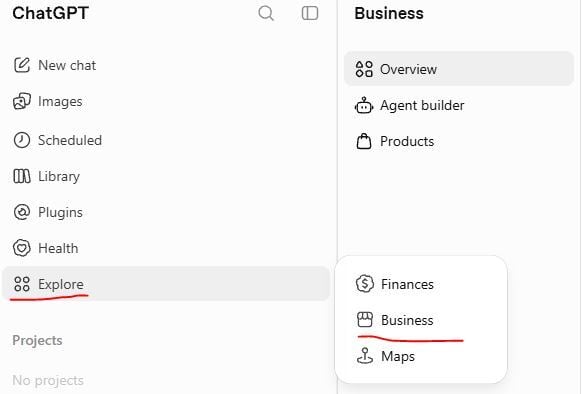
Step 2: Visit the Business Hub
Visit https://chatgpt.com/business-hub/ or go to Business Hub from the navigation
-
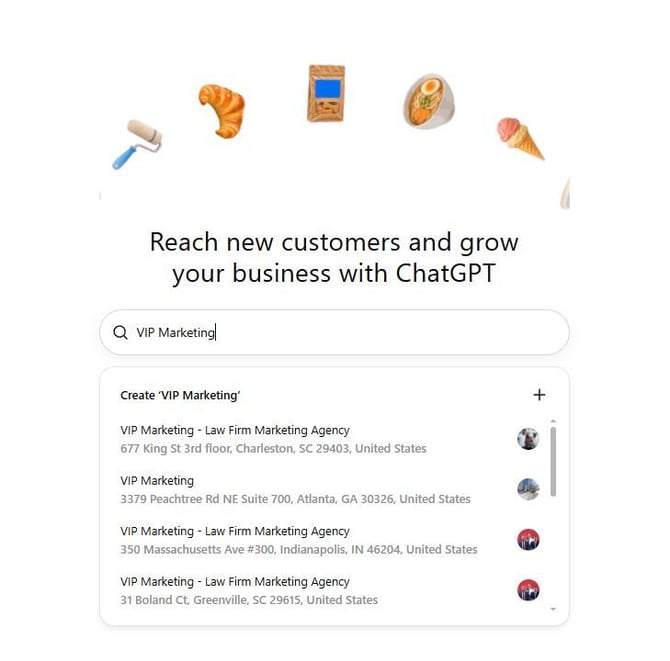
Step 3: Search for Your Business Name
Type your business name (as it appears on the GBP profile)
-
Step 4: Begin the claim process
Once you see your business, click it, and the Get Started window will pop up.
Click on "Get Started" and continue with the email you have logged in with.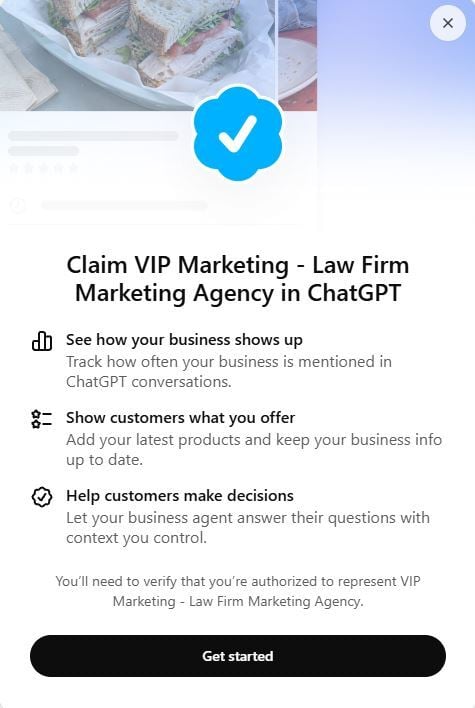
-
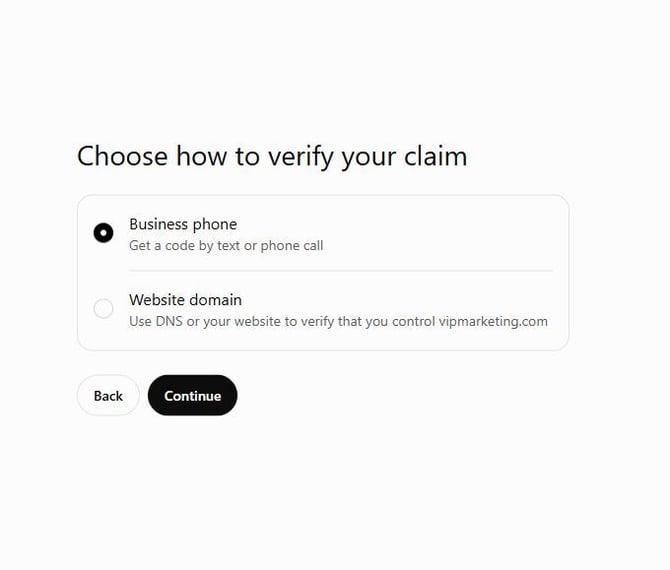
Step 5: Choose preferred way to verify
Business Phone: Requires a phone that can either receive a phone call or a text message.
(Important: Most of the time, the business will pick the number from the GBP profile. If you are using CallRail or any other tracking number, the verification code won't come.)
ORWebsite Domain: Requires hosting access to add a TXT record in the DNS settings.
-
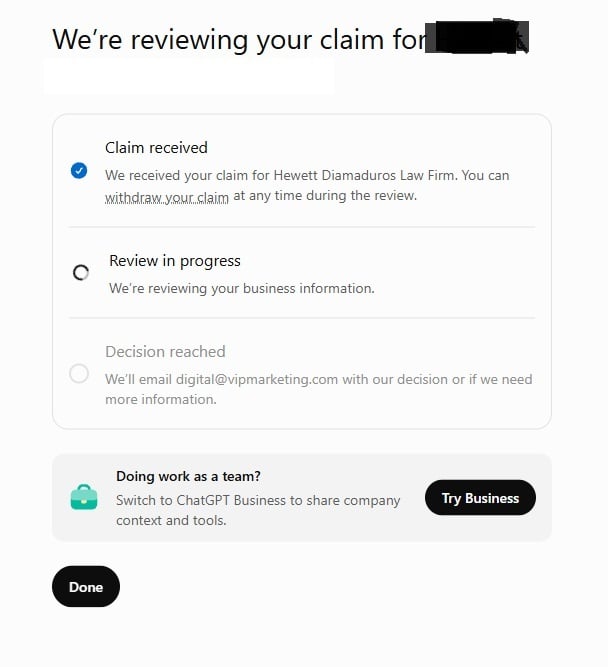
Step 6: Wait for the review
Once you complete the available verification process, submit your claim. OpenAI will review your request and send an email with its decision or request for additional information.
-
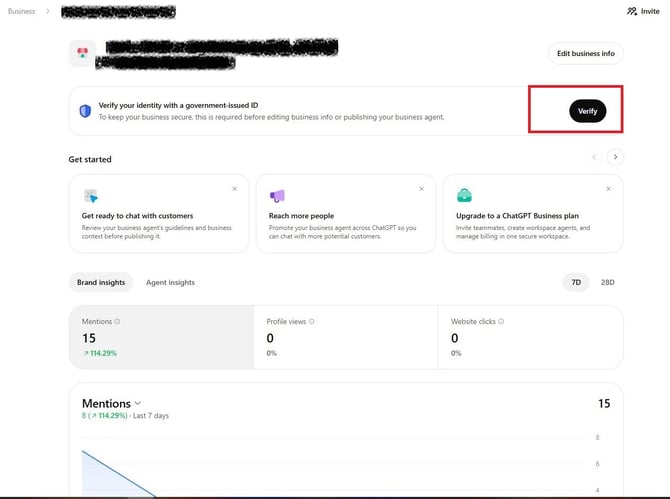
Step 7: Verify the ownership of the business with additional details
One final step is verifying business ownership through government ID verification.
Need Help?
If you are