-
Step 1 - Login to your Google Ads account - https://ads.google.com/home/

- Step 2 - Select the account for which you want to give us access
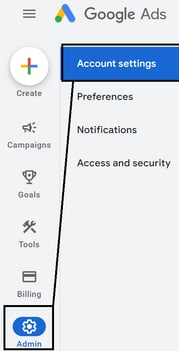
- Step 3 - Go to admin and click on Access & Security
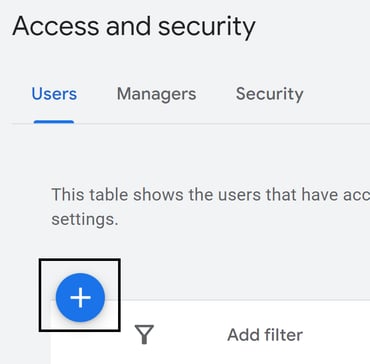
- Step 4 - Click on the plus (+) icon to add us as a user
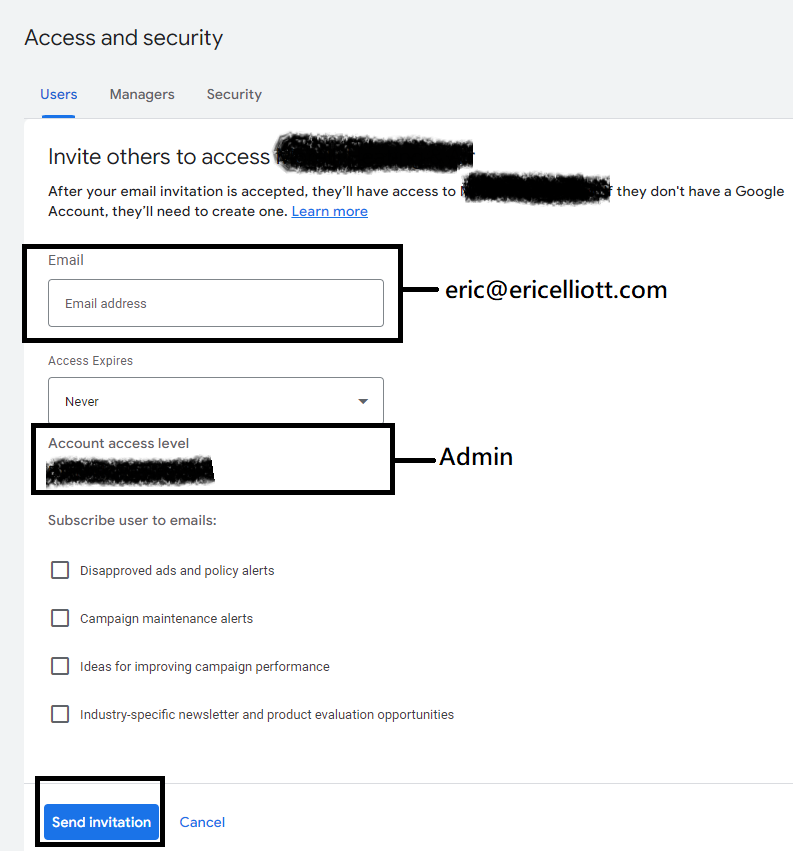
- Step 5 - Add the email address, select Admin as the role, and click on send invitation
English
![VIPWordmarkLight.jpg]](https://knowledge.vipmarketing.com/hs-fs/hubfs/VIPWordmarkLight.jpg?height=40&name=VIPWordmarkLight.jpg)